

Discover how to quickly see the unlocked achievements of your favorite video games both on your desktop console and in Windows 10.
Achievements is one of the great contributions of Microsoft to video games, a system of virtual rewards that allow us to increase the level of our profile and boast to our friends that we have unlocked that task so complicated or achieve an especially high number of them. In addition, it is a system that encourages to get the most out of each video game, either to discover all its secrets or increase its replayability. But how can we see achievements at any time on Xbox One and PC?
How to view achievements on Xbox One and Windows 10
To check the achievements on Xbox One follow these steps:
If you're playing a video game, you can also view its achievements by pressing the Xbox button on your controller and selecting Achievements. Choose Upcoming Achievements to see the ones you are closest to unlocking or Recent Achievements to see the ones you have recently unlocked.
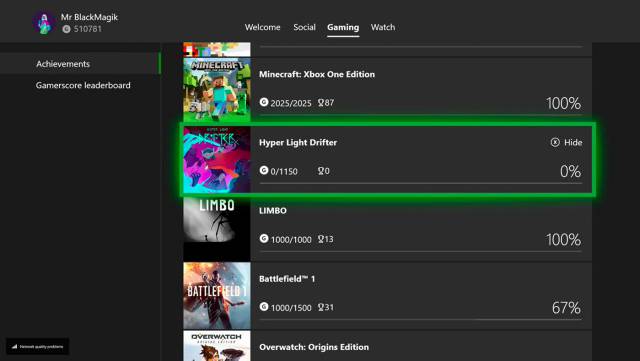
To check the achievements in Windows 10 follow these steps:
You can select achievements individually to see their description and how to unlock them. You can also open the Companion app menu on the Xbox console and select Achievements to get a list of all your achievements.
 "
"